
Maytag ER7775WW1 Troubleshooting & Repair Guide — Oven and Range Fixes
Need the replacement part? Search your model number at for guaranteed fit and fast free shipping.
Understanding the Problem
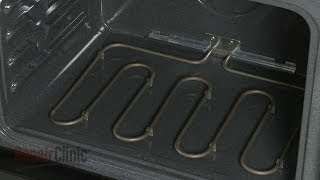
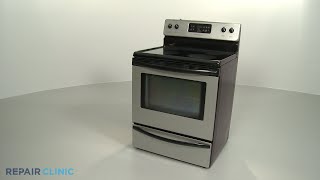
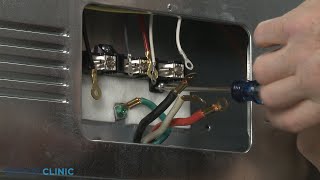
The Maytag ER7775WW1 is a freestanding electric range. Common problems include cooktop burners not heating, oven not reaching temperature, uneven baking, control/display failures, and issues after a self-clean cycle. Below are practical diagnostic steps and step-by-step repair instructions for the most frequent failures. 1) Safety & initial checks - Turn the range OFF and disconnect power at the breaker before any inspection or repair. Electric ranges can be lethal if still energized. - Verify the unit has correct power: check the dedicated 240V breaker is on and the outlet/terminal block has proper voltage (use a multimeter or an electrician). 2) Cooktop burners (coil or radiant) not heating - Inspect surface elements (coils) visually for breaks and test for continuity with a multimeter. No continuity = replace the element. - For ceramic/radiant elements, remove the glass top (if required), inspect element leads and socket for corrosion. Measure continuity across the element. - If the element has continuity but won't heat, test the infinite switch (the control behind the knob). Remove knob and switch, disconnect power, and check switch continuity in different positions. Replace the infinite switch if it fails to change continuity. - Check wiring from the terminal block to each element and switch for burned or loose connections; repairs often require tightening or replacing terminal harnesses. 3) Oven not heating or heating poorly - Test the bake element visually for breaks and for continuity. Replace if open or visibly damaged. - Test the broil element if broil mode doesn't heat. - Check the oven temperature sensor: disconnect it and measure resistance at room temperature; the typical sensor reads ~1000–1100 ohms at 75°F (varies by model). A reading far outside expected range indicates replacement. - If elements and sensor are OK, test the oven control board/clock: look for obvious burn marks or blown relays. Control board issues often show as intermittent heating or no heating in any mode. - Some models include a thermal fuse or limit thermostat; if the fuse is open, the oven may not get power. Test fuse for continuity and replace if open. 4) Oven runs but temperature is wrong or uneven - Verify the oven sensor resistance and replace if out of range. - Recalibrate the oven using the user controls (consult manual) if sensor is within range but the oven cooks hot/cold. - Inspect the door seal/gasket and hinge alignment — heat loss through a bad seal causes uneven results. 5) Control panel / display / touchpad failures - If the display is blank or unresponsive, first check power and fuses. If the display intermittently works, the control board or touchpad likely needs replacement. - Error codes: note any error messages and consult the service manual for code definitions. Many codes point directly to the faulty component (sensor, shorted element, control board fault). 6) Step-by-step example repair: Replace oven bake element - Tools: screwdriver set, nut driver, multimeter, work gloves. - Turn off power at the breaker and verify with a multimeter. - Open oven door, remove the lower oven rack and the insulation shield if present to access the back of the oven interior. - Locate the bake element at the bottom of the oven, remove the mounting screws holding the element to the oven back, then carefully pull the element forward to expose the wire connectors. - Disconnect the two wire connectors (note orientation or take a photo). Remove the old element. - Install the new element by reversing removal: reconnect wires, reseat and secure the element, replace insulation and racks. - Restore power and test oven bake and broil functions. 7) Step-by-step example repair: Replace infinite switch (surface burner control) - Turn off power at the breaker. - Remove the control knob, then remove screws securing the control panel/burner trim to access the switch. - Note or photo wiring connections. Disconnect wires from the switch, remove retaining nut/screws, and install the new switch. - Reattach wires in the same configuration, reassemble panel, restore power, and test all burner settings. 8) Final checks and calibration - After replacing parts, run the oven at a set temperature and use an oven thermometer to confirm accurate temps. Recalibrate via control if necessary. Safety note: Always disconnect power before inspecting or replacing electrical parts. If you are not comfortable working with line voltage, hire a qualified appliance technician or electrician. Replace only with manufacturer-recommended or OEM-equivalent parts and follow anti-static and wiring best practices for control boards.
Common Symptoms
Burner does not heat, oven fails to reach set temperature, oven overheats or is uneven, control/display not responding, strange error codes after self-clean.
Common Causes
- Open or shorted bake/broil/surface heating element
- Faulty infinite switch or surface element connection
- Defective oven temperature sensor or control board
Popular Parts That Fix This Problem
These are the most common replacement parts that fix this problem. When you're ready to order, click below to find the right part at PartsDiscount.com — just search by your appliance model number for a guaranteed fit.

Helpful Repair Tip
Use a multimeter: bake/ broil elements should show continuity (low ohms). Oven temperature sensor usually reads ~1000–1100 ohms at room temp — if it reads OL or far outside that range, replace it.
Frequently Asked Questions
Is the Maytag ER7775WW1 a gas or electric range?
The ER7775WW1 is an electric freestanding range. It uses bake and broil heating elements and requires a proper 240V electrical connection.
Can I replace the oven bake element myself?
Yes — replacing the bake element is a common DIY repair: disconnect power at the breaker, access the element from inside the oven, disconnect the wire terminals, remove mounting screws, install the new element, and restore power. Always verify power is off with a meter and follow safety precautions. If you’re not comfortable working with electrical components, call a professional.
Related How-To Videos

Real DIY Repair Stories
Be the first to share your repair story!
Share Your Repair Story
Your experience helps other homeowners fix their appliances. Tell us how it went!
Can't Fix It Yourself? Find a Local Technician
It's perfectly okay to call a professional. Some repairs require specialized tools, deep teardowns, or dealing with complex systems that are better left to the pros.

Find the Right Part for Your Appliance
Don't guess — search your exact appliance model number at PartsDiscount.com to find the correct OEM compatible replacement part. They offer fast free shipping, guaranteed fit, and thousands of parts in stock.
Your Free Parts Videos
Whether your dishwasher won't drain, your dryer stopped heating, or your fridge isn't cold, we've created simple repair guides for the most common appliance problems homeowners face. Each guide explains what's going wrong, the most likely causes, and which replacement parts fix the issue. When you're ready to order, we link directly to PartsDiscount.com where you can search by model number and get the right part shipped fast.