
KitchenAid Stand Mixer Problems — What Causes Them and How to Fix Them
Need the replacement part? Search your model number at for guaranteed fit and fast free shipping.
Understanding the Problem
KitchenAid stand mixers are robust, but several common failures show up: mixer won’t power on, unusual noises or grinding, speeds not responding or slipping, tilt-head not locking or falling while mixing, and glass bowl clanking. Below are likely causes and step-by-step diagnostics and repair instructions to identify and fix these problems. 1) Mixer won’t turn on / Intermittent power - Likely causes: faulty power cord/plug, bad power switch or speed selector, thermal cutoff/tripped motor protector, internal wiring or motor failure. - Diagnostics & repair steps: 1. Unplug the mixer. Inspect the cord for cuts, exposed wires, or a damaged plug. Replace cord if damaged. 2. Try the mixer in a different outlet and verify outlet has power (use another appliance or a multimeter). 3. Remove the mixer housing (tilt-head up, remove screws per model) and visually inspect wiring for burnt spots or loose connectors. 4. Test the power switch/speed selector with a multimeter for continuity in different positions. Replace the switch if it fails continuity tests. 5. If you hear a hum but no spin, the motor may be stuck; check for seized gears or a burnt motor. If motor draws excessive current, replace motor or have it serviced. 6. Reset or replace the thermal cutoff/reset if present (some models have internal thermal protectors). 2) Mixer runs but speed settings are wrong / motor seems sluggish - Likely causes: worn brushes (older motors), failing capacitor (rare on some models), dirty/contaminated electrical connections, or internal gear wear. - Diagnostics & repair steps: 1. Check brushes (if your model has replaceable carbon brushes) for wear; replace if less than ~3–4 mm of usable carbon remains. 2. Clean and tighten electrical connectors and the speed switch contacts. 3. Inspect gears for heavy wear or broken teeth. Replace gear kit or planetary/gear assembly if damaged. 4. Lubricate gears with food-safe grease designed for mixers if grease has hardened or washed out. 3) Grinding, clanking, or burning smell (gearbox/planetary issues) - Likely causes: stripped/damaged gears, dried or contaminated grease, motor coupling slip. - Diagnostics & repair steps: 1. Remove bowl and attachments, run mixer at low speed and listen to locate noise origin (top gearcase or lower planetary). 2. Access the gearcase/planetary assembly per model instructions. Look for broken or heavily worn gear teeth and inspect grease condition. 3. Replace damaged gears or the entire planetary/gear assembly. Clean out old grease and re-grease with high-temp food-grade epoxy grease specified for KitchenAid gearboxes. 4. Reassemble and test at multiple speeds. 4) Tilt-head won’t stay locked / mixer falls while mixing / loose hinge pin - Likely causes: worn hinge pin, missing or broken spring/retaining clip, worn lock lever or latch, incorrect reassembly after service. - Diagnostics & repair steps: 1. Inspect hinge pin and bushing for play. Lift the head and examine the hinge area for wear or missing snap rings. 2. If hinge pin is loose, remove the head per manual, replace hinge pin and any bushings or retaining clips. Some models have a hinge pin clip that can be tightened or replaced quickly. 3. Check the latch/locking mechanism on the underside of the head and the bowl-lift (if bowl-lift model) for worn teeth or bent parts; replace those components as needed. 5) Bowl or glass bowl guard clanks against mixer head - Likely causes: bowl not seated correctly, bent beater shaft, worn beater hub/clip, or guard misaligned. - Diagnostics & repair steps: 1. Remove bowl and attachments; check for debris or an improperly seated bowl rim. 2. Inspect beater shaft for straightness and the beater hub for wear. Replace warped beaters or hub if needed. 3. Adjust or reinstall the bowl guard; ensure attachment clips are secure. Parts to check first (quick list): power cord, power/speed switch, carbon brushes (if applicable), planetary/gear assembly, hinge pin and latch components, grease in gearbox, beater/shaft. Safety note: Always unplug the mixer before opening the housing or touching internal parts. Use insulated tools for electrical diagnostics, and only attempt repairs you’re comfortable with. If the motor shows signs of burning or catastrophic failure, consider professional repair or replacing the unit.
Common Symptoms
No power or intermittent power, humming without rotation, unusual grinding or clanking, speeds not responding or slipping, tilt-head falling or not locking, glass bowl clanking.
Common Causes
- Damaged power cord or faulty power switch/speed selector
- Worn or broken gears in the planetary/gearbox assembly
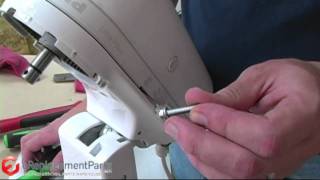
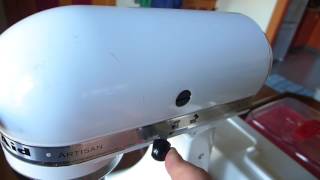
- Worn hinge pin, retaining clip, or latch causing tilt-head to fall
- Dried/contaminated gearbox grease or damaged gear teeth
- Worn motor brushes or motor electrical faults
Popular Parts That Fix This Problem
These are the most common replacement parts that fix this problem. When you're ready to order, click below to find the right part at PartsDiscount.com — just search by your appliance model number for a guaranteed fit.

Helpful Repair Tip
Confirm the faulty part by isolating the symptom: if the mixer hums but doesn’t spin, check the gearbox/planetary assembly for seized gears; if there’s no power at all, first test the power cord and speed switch with a multimeter.
Frequently Asked Questions
How do I find my KitchenAid mixer model number?
Turn the mixer over or look on the underside/back of the base — there is a silver model/serial tag. Note the model number and use it when ordering parts or looking up a service manual.
Is it worth repairing an old KitchenAid mixer or should I buy a new one?
KitchenAid mixers are built to last; replacing a few parts (cord, switch, gears, hinge pin) is often less expensive than buying new. If the motor is burnt out or parts are heavily corroded, compare repair cost vs replacement. For sentimental or high-end models, repair is usually worthwhile.
Related How-To Videos

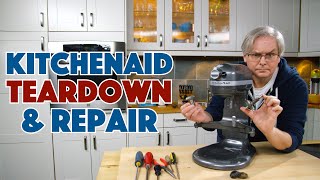

Real DIY Repair Stories
Be the first to share your repair story!
Share Your Repair Story
Your experience helps other homeowners fix their appliances. Tell us how it went!
Can't Fix It Yourself? Find a Local Technician
It's perfectly okay to call a professional. Some repairs require specialized tools, deep teardowns, or dealing with complex systems that are better left to the pros.

Find the Right Part for Your Appliance
Don't guess — search your exact appliance model number at PartsDiscount.com to find the correct OEM compatible replacement part. They offer fast free shipping, guaranteed fit, and thousands of parts in stock.
Your Free Parts Videos
Whether your dishwasher won't drain, your dryer stopped heating, or your fridge isn't cold, we've created simple repair guides for the most common appliance problems homeowners face. Each guide explains what's going wrong, the most likely causes, and which replacement parts fix the issue. When you're ready to order, we link directly to PartsDiscount.com where you can search by model number and get the right part shipped fast.